TL;DR - Loose terminal heating is how solar systems start fires
Loose terminal heating is the leading cause of off-grid DC arc faults. Every connection not torqued to spec generates heat under load. Heat accelerates corrosion. Corrosion loosens the connection further. The runaway cycle ends when a terminal hits 400 degrees F and arcs across the gap to ignite insulation. Diagnose with a calibrated torque wrench checking every battery, inverter, breaker, busbar, and lug against the manufacturer's spec, then an IR thermometer scanning every connection during peak load - any junction running 20 degrees F hotter than the cable feeding it is failing. Visual inspection finds white sulfate corrosion, black scorch marks, and discolored insulation. Re-torque every 6 months on lead-acid systems, annually on lithium. The torque wrench is the cheapest fire insurance in off-grid solar.
He smelled the smoke before he saw it. Tuesday afternoon, October, a quiet ranch outside Stillwater. He was unloading groceries when something sharp and metallic hit his nose - not woodsmoke, not cooking smoke, something with copper in it. He dropped the bags and ran for the equipment shed. The inverter was screaming. The DC disconnect was still closed. Smoke was rolling out around the negative bus bar where his battery cable connected to the main shunt. He killed the breaker, opened the disconnect, threw a wet towel over the bus bar before he could even think about what he was doing. When the smoke cleared he saw what had been quietly happening for fifteen months. The lug nut on the negative shunt had backed off about a quarter turn over time. Just a quarter turn. Not loose enough to wiggle. Not loose enough to feel. But loose enough that every amp of current passing through that joint generated heat. The heat oxidized the copper. The oxidation increased resistance. The increased resistance generated more heat. The cycle ran for over a year before the lug got hot enough to scorch the cable insulation and start arcing. He'd been six minutes away from a structure fire in a building uninsured for replacement cost. The technician he called the next day used a torque wrench and an IR camera. Found two more loose lugs on the battery bank - one of them was 18 degrees F hotter than its neighbors under load. Six dollars in retorque-and-clean fixed all three. He'd been one missed maintenance cycle away from losing the building.
Who this is for
This guide is for the rancher outside Stillwater who almost lost his equipment shed to a quarter-turn loose battery lug. The Florida retiree whose salt-air corrosion is eating his MC4 connectors and inverter terminals at three times the rate of inland systems. The Arizona homesteader whose extreme thermal cycling expands and contracts every terminal in his bank twice a day and works lugs loose faster than any other climate. The Vermont cabin owner whose batteries sit in an uninsulated shed that hits -10 degrees F in January, freezing every metal junction tight in winter and letting it expand loose every summer. The Texas first-time off-gridder who torqued every terminal once during commissioning and hasn't touched a wrench since. The Colorado homesteader whose neighbor warned him about loose terminals and he laughed it off because "the panels look fine." The Pennsylvania DIYer who inherited a system with no documentation and has no idea whether the previous owner ever torqued anything. The Oregon homesteader whose flexible panels run cables that flex with the wind, working every junction box loose over years of vibration. The Idaho retiree whose batteries are stacked in the corner of a workshop, where the floor vibrates every time the table saw runs.
Three things are true of every one of them.
A terminal that feels tight with your hand can be 20% under torque spec.
The connection that fails isn't the one you can see - it's the one you stopped checking three years ago.
A torque wrench costs less than an emergency electrician visit, and an IR thermometer costs less than a roof.
The runaway resistance cycle
Loose terminal heating doesn't happen instantly. It happens in slow motion over months and years, through a feedback loop most homeowners never learn about. Understanding the cycle is the first step to interrupting it.
A properly torqued copper terminal makes microscopic contact across the entire face of the connection - millions of tiny contact points where electrons can flow with minimal resistance. When current passes through, the contact resistance is so low that no measurable heat develops.
A terminal that's even slightly loose makes contact across only a fraction of that surface area. Electrons crowd through the reduced contact points, encountering higher resistance, converting some of the electrical energy to heat. The connection warms up under load.
Heat is the start of the runaway cycle.
Heat oxidizes copper. Copper oxide is a poor electrical conductor. As the surface oxidizes, the effective contact area shrinks further, increasing resistance, generating more heat. The thermal expansion from heating also subtly alters the geometry of the joint, loosening the mechanical fit. Over thousands of thermal cycles, the lug works imperceptibly loose.
According to National Renewable Energy Laboratory field studies on PV module reliability, thermal anomalies at electrical connections precede visible damage by 60 to 180 days. That's two to six months of progressive loose terminal heating before the joint visibly fails - but only if anyone is looking.
By the time the homeowner sees discoloration on the insulation, smells the burned copper, or hears the inverter alarming on low input voltage, the cycle has been running for a year or more. The arc-fault event that finally triggers shutdown or fire is the last 30 seconds of a fifteen-month process.
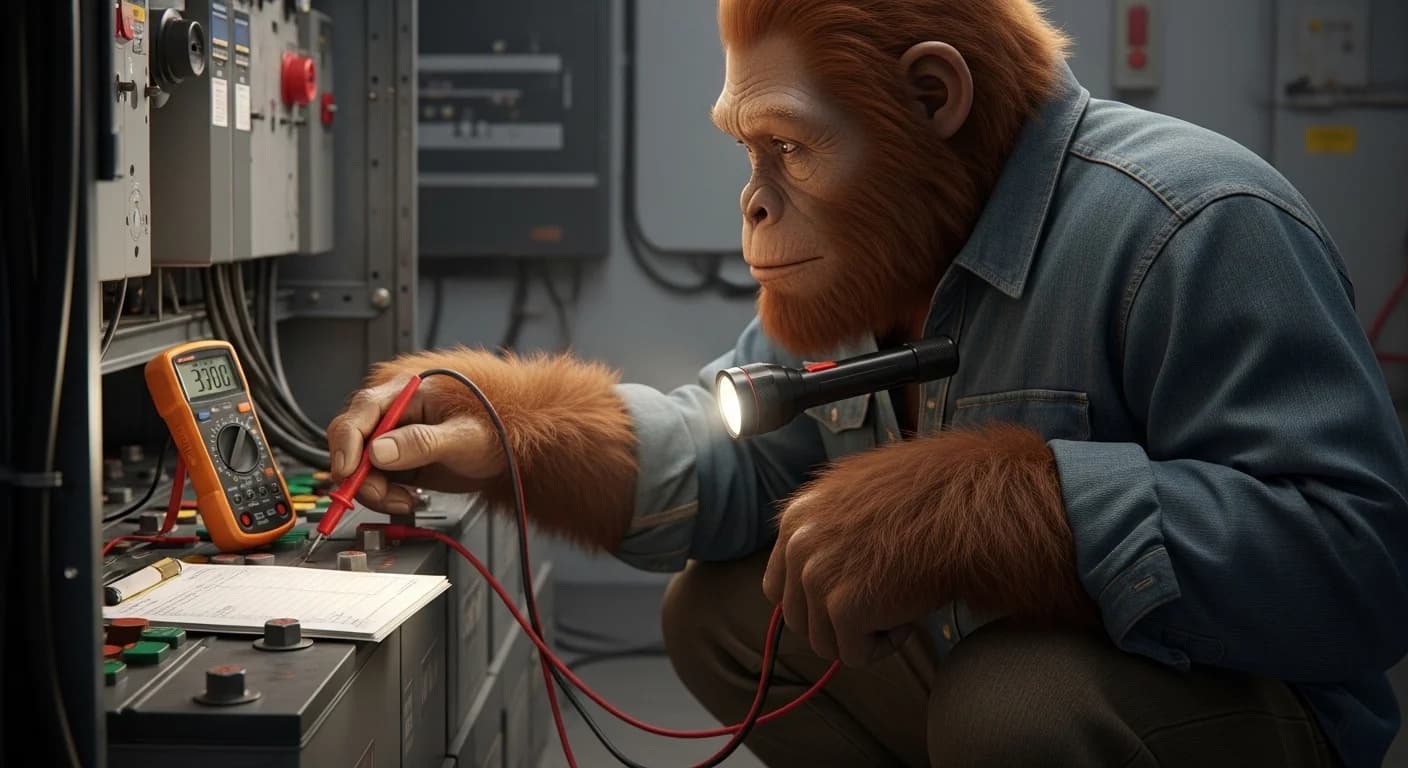
WATTSON'S TORQUE TRUTH: At the US Solar Institute, the first thing the instructor handed us wasn't a multimeter. It was a torque wrench. He held it up and said, "This tool will prevent more fires than every other tool in this room combined." He was right. After fifteen years off-grid and dozens of customer site visits, the single most common diagnostic finding I make on every system is at least one terminal under torque spec. Not because owners are negligent - because nobody told them terminals walk loose over time. Thermal cycling, vibration, settling, corrosion - they all conspire to back off lugs that were perfectly tight on day one. The torque wrench isn't a one-time commissioning tool. It's a maintenance tool. Use it every six months on lead-acid systems, every year on lithium, and you will never have a loose-terminal fire.
Stop the slow heat before it becomes a fast fire.
Wattson's Terminal Torque & Thermal Audit Sheet - the printable inspection sequence, torque specs for every common terminal type, and the thermal threshold chart that catches failing connections months before they arc.
GET THE AUDIT SHEET ->Where loose terminal heating starts - the high-risk junctions
Not every connection in a solar system has the same risk profile. Some carry continuous high current and develop heat quickly when loose. Others see low current and tolerate looseness for years before showing symptoms. Focus your maintenance time on the high-risk junctions.
Battery terminals (highest risk)
Every battery in the bank has at least two terminals, sometimes four. These carry the highest sustained current in the entire system - full charge current going in, full discharge current going out. A loose battery terminal heats fastest because it sees the highest amperage.
Battery terminals also corrode fastest. Lead-acid batteries off-gas hydrogen and acid vapor that attacks copper. Even sealed batteries vent under abuse conditions. The white crystalline sulfate corrosion that grows on lead-acid terminals is electrically resistive - it forms inside the connection and breaks the contact even when the lug feels mechanically tight.
Inverter DC input terminals
The DC cables from the battery bank land here, carrying full inverter draw current. Inverters running at 80%+ rated capacity put massive amperage through these terminals. Inverter manufacturers specify exact torque values (typically 100-250 inch-pounds depending on model). Owners who finger-tighten these terminals during install are running a fire on a timer.
Charge controller battery output terminals
Similar to inverter input but typically lower current. Still requires manufacturer-spec torque and seasonal re-check.
Combiner box and DC disconnect lugs
These see full array current during peak production. Often mounted outdoors or in unconditioned space where thermal cycling and humidity accelerate corrosion.
Bus bars and shunts
Bus bars connect multiple parallel battery strings to a common point. A loose bus bar lug carries enormous current and sits inches from other live conductors - an arc fault here can propagate to adjacent circuits.
The shunt connections (the heavy lugs where the battery monitor's current sensor lives) are notorious for going loose because they're rarely revisited after commissioning.
MC4 connectors
PV cable connectors on the roof. They lock together by design but the internal spring contact can lose tension over years of UV exposure and thermal cycling. A failing MC4 connector creates a fire-risk junction on top of the roof, which is exactly where you don't want one.
Battery interconnect cables
The bus cables that link individual batteries together within a bank. Every lug at every connection point is a potential failure site. In larger banks (8+ batteries), the count of high-current lugs can reach 30+.
The three diagnostic methods
Three methods work for catching loose terminal heating before it becomes an arc fault. Run all three. Each catches failures the others miss.
Method 1: Calibrated torque wrench
This is the gold standard. A torque wrench applies a measured rotational force to a lug nut or terminal bolt and reports whether the connection is at spec.
For most off-grid systems, you need two torque wrenches: a 1/4-inch drive inch-pound wrench for small terminals (battery posts, breaker lugs) in the 50-200 inch-pound range, and a 3/8-inch drive foot-pound wrench for larger lugs (inverter terminals, main bus bars) in the 10-50 foot-pound range.
Workflow:
- Power down the section you're working on (open the relevant DC disconnect or breaker)
- Verify zero voltage at the terminal with a multimeter before touching anything
- Reference the manufacturer's torque spec for that specific terminal (often printed on a label inside the equipment door)
- Set the torque wrench to that exact spec
- Apply the wrench to the lug - if it clicks without moving, the connection was at or above spec
- If the wrench tightens the lug measurably before clicking, that lug was below spec - document it and continue
- Re-energize the system after every section is verified
Run torque verification every 6 months on lead-acid systems (the corrosion timeline is faster), every 12 months on sealed lithium banks.
Method 2: IR thermometer or thermal camera scan
Heat is the signature of loose terminal heating. A thermal scan during peak production reveals failing connections that aren't yet visible.
Workflow:
- Schedule the scan for a clear sunny day during peak hours (typically 11 AM to 2 PM)
- Verify the system is actively under load - both producing from PV and discharging to loads
- Walk the same path every time, scanning every terminal lug and connection point
- Compare each connection's temperature to the cable feeding it - the cable temperature is the baseline
- Any connection running 10-20 degrees F hotter than its feeding cable is suspect
- Any connection running 20 degrees F+ hotter is failing and needs immediate attention
- Document readings in a notebook or spreadsheet for trend analysis
The thermal camera method catches failures the torque wrench misses - corroded connections that feel mechanically tight but have lost electrical contact, and seasonal degradation between scheduled torque checks. See thermal camera solar diagnostic for the complete sweep procedure.
Method 3: Visual inspection
Cheaper than the other two, faster, and catches the most-advanced failures. Run a visual inspection every time you're near the equipment.
Look for:
- White crystalline corrosion at battery terminals - sulfate buildup from off-gassing
- Green corrosion at copper connections - copper oxide from moisture exposure
- Black scorch marks on insulation near any terminal - heat damage that has already occurred
- Discolored heat-shrink that's gone from clear to brown or yellow
- Bulging insulation at any cable end - heat has melted the inner plastic
- Visible gaps between lugs and the mating surface - terminal has backed off completely
- Cable strain pulling on a terminal - mechanical stress will work the joint loose over time
Visual inspection finds the failures that are days from ignition. Torque and thermal find them while they're still safe to fix.
When to suspect loose terminal heating without scanning
Some signals from the system point toward connection problems even before you run a formal diagnostic.
- Inverter alarming low DC input voltage while the battery monitor shows healthy voltage at the bank
- Voltage drop greater than 0.5V between battery terminals and inverter input under load
- Faster-than-expected battery capacity loss despite proper charging cycles
- Charge controller throwing low-voltage faults that clear when the system rests
- Burning smell near any equipment, even faint or intermittent
- Audible buzzing or crackling from any junction box or terminal cover
- Unexplained breaker trips on circuits that should have ample headroom
Any of these warrants a torque audit and thermal sweep as the next maintenance action.
The corrosion treatment protocol
When you find corroded terminals, don't just retorque them. The corrosion is between the conductive surfaces and will keep generating heat even after retorque. Clean the connection before reassembling.
- Power down the affected section completely and verify zero voltage
- Remove the lug from the terminal post
- Mix baking soda and water into a paste (approximately 1 tablespoon baking soda to 2 tablespoons water)
- Apply the paste to the corroded surfaces with a stiff brush - work it into the corrosion
- Wait 2-3 minutes for the chemical reaction to neutralize the acid
- Rinse with clean water - distilled is best, tap water is acceptable
- Dry completely with a clean cloth
- Apply a thin coat of dielectric grease or terminal protectant (CorrosionX is widely recommended)
- Reassemble and torque to manufacturer spec
- Verify with thermal scan during the next peak-load period
The dielectric grease doesn't replace the metal-to-metal contact - it seals the perimeter of the connection against moisture intrusion that causes new corrosion. Don't apply grease between the conducting surfaces.
When to stop and call a pro
Stop immediately and call a licensed solar electrician if any of these conditions are present.
- Active arcing visible or audible at any connection
- Smoke from any junction even if you can't identify the source
- Melted insulation, charred plastic, or burn marks on cable ends
- A battery case feels warmer than its neighbors by 15 degrees F+ (internal cell failure can mimic loose terminal heating but requires different response)
- The smell of burning plastic, ozone, or rotten eggs near the equipment
- Any terminal too hot to keep your bare hand on for 3+ seconds
- Visible damage to the bus bar or main disconnect housing
- A ground fault indicator on the inverter or charge controller
These conditions mean you've crossed from maintenance work into emergency electrical hazard territory. Open the main DC disconnect, ventilate the equipment space, and call a US Solar Institute-trained tech or licensed electrician.
Frequently asked questions
Can I just feel if a terminal is tight enough? No. The human hand can detect roughly 20% deviation from a target torque on small fasteners, much less on the heavy lugs in a battery bank. A terminal that feels "tight" to your hand can be 30% under spec and generating significant heat under load. Use a calibrated torque wrench.
How often should I torque-check terminals? Every 6 months for lead-acid systems and any system in coastal, dusty, or extreme-temperature climates. Every 12 months for sealed lithium banks in conditioned indoor space. After any seismic event, severe storm, or vehicle impact near the equipment.
What torque spec should I use if the manufacturer didn't publish one? Default values by terminal type: 5/16" battery post lugs at 110-130 inch-pounds, 3/8" lugs at 200-240 inch-pounds, 1/2" lugs at 480-600 inch-pounds. These are general values - manufacturer specs always override when available.
Will overtightening damage the terminal? Yes. Overtightening can strip threads, crack lead battery posts, deform copper lugs, and create stress fractures that worsen over time. Calibrated torque wrenches prevent this. Don't muscle a lug "tighter" than spec - tighter isn't better past the engineered torque.
My terminals look clean - do I still need to check torque? Yes. Clean appearance doesn't equal tight connection. Thermal cycling and vibration loosen perfectly clean terminals over years. The whole point of scheduled torque verification is catching the failures that visual inspection misses.
Should I use anti-corrosion spray instead of dielectric grease? Either works. Sprays like CRC Battery Terminal Protector are easier to apply but reapply more often. Dielectric grease lasts longer per application but takes more setup time. For lead-acid systems with heavy off-gassing, grease is better. For sealed lithium, either is fine.
My battery terminals had white corrosion when I bought the system - is the whole bank ruined? Not necessarily. Clean the corrosion with the baking soda protocol, retorque, scan thermally, and run a 2-hour load test (see solar battery voltage drop diagnosis) to determine if the bank itself has lost capacity. Corrosion at the terminals doesn't automatically mean the cells are damaged.
Can a loose terminal cause my charge controller to throw error codes? Yes. Loose connections at the controller's battery output terminal cause the controller to read inconsistent battery voltage. Many controllers interpret this as a fault condition and throw error codes (commonly "battery not connected," "low voltage," or "over-voltage" depending on the brand). See charge controller error diagnosis for the full code reference.
How hot is too hot for a terminal to be? Above ambient plus 30 degrees F is concerning. Above ambient plus 50 degrees F is failing. Above 200 degrees F is emergency. The relative reading matters more than absolute - a terminal running 20 degrees F hotter than its sibling terminals at the same load is a problem regardless of the absolute number.
Is loose terminal heating covered by my insurance if it causes a fire? Maintenance-related fires are often excluded or partially covered, depending on the policy. Documented maintenance records (photos, torque logs, thermal scan records) significantly improve claim outcomes. Most policies will pay for fires from manufacturing defects but not from neglected maintenance. Keep records.
Should I retorque every connection or just the ones that read warm on thermal? Retorque every connection on the scheduled interval, even ones that scan cool. Loose terminal heating is a progressive failure - a connection that's slightly loose today but not yet generating measurable heat will be generating heat next quarter. Catching it on the torque check is cheaper than waiting for the thermal scan to flag it.
Conclusion
Loose terminal heating is the most preventable cause of off-grid fires. Every solar system fire that traces to a connection failure is a fire that a $40 torque wrench and a $30 IR thermometer would have prevented.
The runaway resistance cycle is slow. A connection works imperceptibly loose over months and years. The heat at the joint accelerates corrosion, the corrosion increases resistance, the resistance generates more heat. The cycle runs unseen until the arc fault that ignites the insulation - and by then the homeowner has months to seconds of warning.
The three diagnostic methods catch the failure at every stage. The torque wrench finds connections below spec before any heat develops. The thermal scan finds connections generating heat before any visible damage. The visual inspection finds the failures that are days from ignition.
Run all three on a schedule. Every six months for lead-acid systems. Every twelve months for lithium. After every major storm and any time the system shows the warning signs - voltage drop, controller errors, intermittent burning smell, unexplained breaker trips.
The torque wrench is the cheapest fire insurance in off-grid solar. Use it.
The complete Maintenance & Troubleshooting guide ->